Shaun helped me by building a simple time logging database that has made managing my time and finances so much simpler.
Rebecca McEwan
Plan B Office Support
Systems that keep everything in one place
Create your own business command centre
Most small businesses are held together with a mix of notes, inboxes, spreadsheets and half-finished to-do lists. A good system pulls all of that into one clear view – so you always know what needs doing, who needs chasing, and what’s coming up next.
I build simple Notion workspaces that connect to your website and automations—so everything works together, not in silos.
Log and track leads from first enquiry through to happy customer
Keep tasks, projects, notes and documents together in one workspace
See your week at a glance — what's overdue, in progress, or done
Let your website and automations feed data in automatically so nothing slips the net
What we can build in Notion together
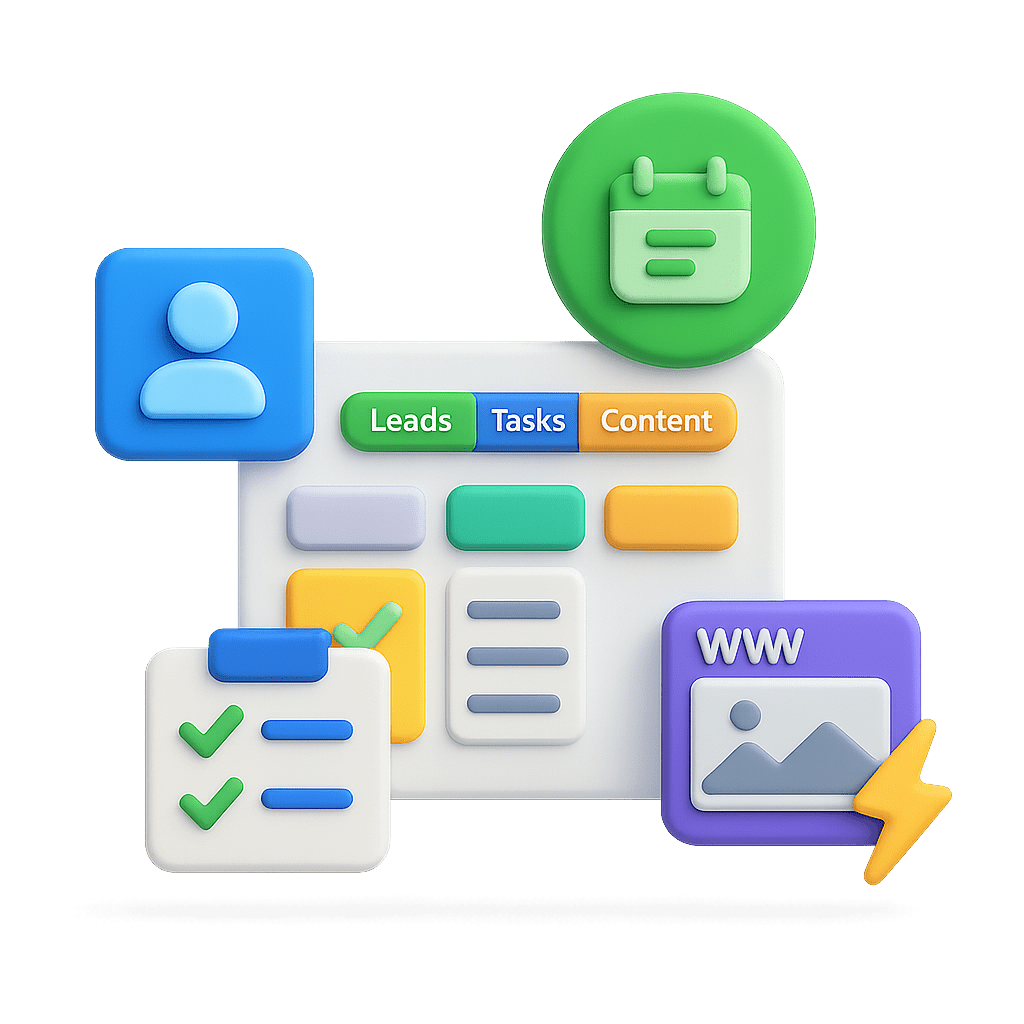
Custom workspaces that keep leads, tasks and ideas in one place and talk to your website and automations.
Simple lead tracker
Capture every enquiry in one place and see exactly where each lead is up to. Pull in leads from your website and log follow-ups so no opportunity goes missing.
Tasks and project hub
Plan your week and projects from a single board. Filter by client, priority or status so you always know what needs doing next and what can wait.
Content calendar
Store ideas, draft posts and live content in one organised calendar. Tag by channel or theme and see what’s going out this week without juggling spreadsheets.
Living docs and processes
Turn the way you work into clear, reusable checklists and guides. Keep everything centralised so you're not rewriting the same explanations again and again.
Time, revenue and pipeline views
Track where your time goes and where income is likely to come from. Simple dashboards show booked work, proposals out and rough revenue projections.
A system that grows with your business
Start simple with core databases, then add extra views and dashboards as you need them. Because it’s all in Notion, your system can grow without a full rebuild.
Connect with well known brands
Notion works alongside the tools you already use, Gmail, Slack, Calendly, and more! So information flows in automatically without copying and pasting.
Want to see something I made earlier?
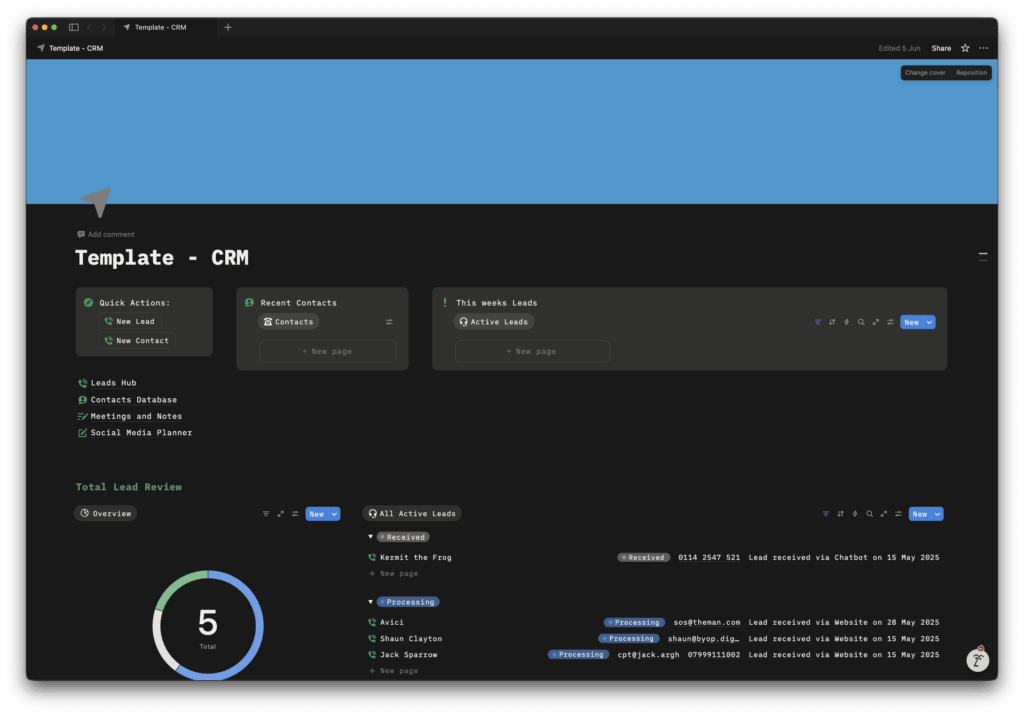
This is a simple Notion CRM I built to show what a joined-up system looks like. It collects leads, organises contacts, links meeting notes, and helps you plan content—all in one place, without feeling complicated.
How it works
3 simple steps to get organised
Map what you're juggling
We start with a short call where you talk me through your day-to-day. What tools are you using? Where are things falling through the cracks? What always ends up on sticky notes or buried in emails?
I’ll ask a few simple questions to understand how you actually work, what needs tracking, and which tools need connecting.
Design a simple Notion workspace
Next, I’ll put together a straightforward plan showing which databases you’ll need, how they’ll connect, and how information will flow in from your website or forms.
You’ll get this in plain English so you can review it, ask questions, and make sure it fits before we build anything.
Build, test and hand it over
Once you’re happy, I’ll build your workspace, set up the connections, and test everything with real examples. When it’s ready, I’ll record short training videos and give you simple docs so you know exactly how to use it.
If you’d like ongoing help with updates or tweaks, we can arrange light-touch support, but only if it makes sense for you.
Ready to get your systems sorted?
Share a few details and I’ll reply with simple next steps – no pushy sales calls, just clear options for how we could tidy up your tools and build a Notion workspace that fits how you actually work.
Frequently asked questions
How long does it take to build a Notion system?
Most simple setups take 1–3 weeks from first chat to handover. Quick wins (like a basic lead tracker) can sometimes be live in the first week. The timeline depends on how many databases you need and how much integration work is involved, but I’ll give you a clear plan upfront.
What if I've never used Notion before?
That’s fine, most of my clients start from scratch. I’ll set everything up so it’s simple to use, with clear labels and reusable templates. You’ll get short Loom videos showing exactly how to add leads, update tasks, and find what you need.
How much does a Notion system cost?
Most projects sit between £300–£1,000 depending on complexity. A simple lead tracker and task board is at the lower end; a full CRM with automations and integrations is at the higher end. After our first chat, I’ll give you a fixed price so you know exactly what you’re paying for.
Can you maintain and update the system for me?
Yes. If you’d like ongoing support, I can keep an eye on your workspace, make small tweaks as your business evolves, and update connections when tools change. If you’d rather own it yourself, I’ll document everything so you’re confident managing it in-house.
What if I'm already using another tool (like Airtable or a spreadsheet)?
We can review what you already have. Sometimes it makes sense to migrate over to Notion; other times we can connect your existing tool to Notion so they work together. The goal is to make your life easier, not force you onto a completely new platform.